Support
Turnleaf
Frequently asked questions
Why hasn't my flower bed bloomed?
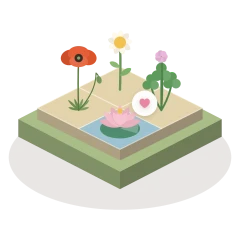
A flower bed blooms when every plant on it is content and your own planting has made at least one heart. A heart is two friends side by side. Every flower bed offers at least three, and the row of hearts at the top shows how many there are to find. A bed where every plant is content but no heart of yours stands yet is waiting for one more move, never failed.
If you are stuck, the lamp is always free: it shows where a plant would be happy, and says why in a few words. Undo takes back your last move, and the round arrow beside it starts the flower bed over. Bloom a bed with every one of its hearts and one of its plants turns gold.
How does the Daily work?
A lantern on the Path lights one new flower bed each day. It is the same flower bed for everyone who has walked as far as you along the Path, so you can talk about it with a friend at the same point without giving away anything further on. The day turns at 03:00 UTC for everyone; the game tells you when the next one arrives by your own clock. Every Daily has three hearts to find, and on some days it rains, which waters every square.
Finishing it brings gifts: a plant for your herbarium while there are plants still to bring (the lantern on the Path shows today's plant faintly), a seed for your garden and a vial of morning dew. Missing a day costs nothing: no streak is shown or asked of you, and nothing is taken away.
How do I find every plant for the herbarium?
The herbarium holds a hundred plants. Some are pressed in Anna and Leo's book as you bloom the flower beds of the walk, some you meet in the flower beds themselves, and the lantern brings the others, one a day with the Daily. The last twenty-five are Anna's list: once the walk is done, each day's flower bed may bring one of them as a visitor, and blooming the bed finds it. Every one of the hundred can be found.
Each chapter shows how many of its plants you have found, and is sealed when it is full. A plant you have seen but not yet found (in a friend's garden, as a cutting, or as a seed in a flower bed) shows faintly with its name. Every pressed plant carries a label saying who pressed it and when.
What are the rare plants?
Beside the hundred there are five rare plants, marked with a small gold star. No flower bed, lantern or visitor brings them: each is earned by a feat, one for each way of playing. Press an empty rare plate in the herbarium to read Anna's hint for it. There is no deadline and no streak; a feat counts whenever it is done.
When do I get Your Garden?
At the end of the walk, after the last flower bed. Anna and Leo leave you their garden, to plant however you like, with no rules at all. From then on you can also invite friends over the hedge, grow the Dawn Seed and plant the cuttings friends send you.
What is the Dawn Seed?
Each Daily leaves a seed behind. Plant it in Your Garden and, after a full day, it blooms and turns one of your garden's plants gold, then leaves you a seed to plant again. Morning dew hurries it along, six hours a vial: a vial comes with every Daily you finish, and more hide as sprites in the flower beds. Nothing in Turnleaf is for sale, so there is nothing to buy that changes this.
Will the game send me notifications?
Only if you say yes. Every new garden starts with them off. Right after you plant your first Dawn Seed the garden asks, once: "Shall the garden send word when it blooms?" "No, thank you" closes the question for good, and you can turn them on or off at any time in Settings, Atmosphere, Notifications. With them on you hear about two things only: the Dawn Seed's bloom and a turning season. They are made on your own device on iPhone and iPad; nothing is sent to it from anywhere.
How does my progress follow me between my devices?
If you are signed in to iCloud, Turnleaf keeps your save in your own iCloud as well as on the device, and joins the two on your other devices so that nothing earned on either is lost. An iPhone, an iPad and an Apple TV on the same iCloud account tend the same garden. There is nothing to set up and no account beyond your own iCloud; signed out, the game plays on that device alone.
I have a new device, or I reinstalled. How do I get my garden back?
Sign in to the iCloud account you played with before, then open Turnleaf. It finds your save in iCloud and takes it up by itself; there is no restore button and nothing to log in to. If nothing arrives after a minute or two, close the game and open it once more: iCloud can take a moment.
If you were not signed in to iCloud on the old device, the save was kept on that device only, and there is no other copy to bring back.
How do I start over?
To play one flower bed again from the start, use the round arrow beside Undo. To start the whole game over: Settings, Progress, "Erase all progress". It asks first, and then every flower bed, the journal, the herbarium and the Garden are forgotten on all your devices signed in to iCloud. It cannot be undone.
How do I show my garden to a friend?
Once Your Garden is yours, open Settings, Garden, "Over the hedge" and choose "Invite a friend", on an iPhone or an iPad. The invitation is Apple's own iCloud sharing link. Your friend needs Turnleaf and their own iCloud account; once they accept, your garden stands beside theirs, to visit and not to change. What they see is your garden's plot (which plants stand where, and which are golden) and its name, nothing else. You can take a friend off your garden from the same page, and "Let this garden go" sends a friend's garden away from yours.
What are seed packets and cuttings?
The seed tin, which opens in the shed deep in the Autumn Wood, grows a flower bed from any three plants you have met, and the same three always grow the same flower bed. That is a seed packet: it can be sent as a link, or spelled out as its three names. A cutting is one plant from your herbarium, given as a gift the same way, and it grows as a guest in your friend's garden. A friend needs Turnleaf to open either one: the seed tin to grow a packet, and Your Garden to plant a cutting. Neither carries anything about you: a packet is three plant names, a cutting is one.
Is the whole game on Apple TV?
Yes: the Path, all one hundred and twelve flower beds, the journal, the shed, Your Garden and the Daily, played with the remote, on the same save as your other devices. A television has no share sheet and no Home Screen widget, so inviting a friend and sending a seed packet or a cutting are done from an iPhone or an iPad, and the widget lives there too.
Which languages does Turnleaf read in?
English, Portuguese, Spanish, French, German and Italian: the whole game, every note and every page. It opens in your device's language where it is one of the six, and Settings, Language changes it at any time.
What does Turnleaf do for accessibility?
What is in the game today: under VoiceOver every square of a flower bed says what stands on it and how it is doing, and the lamp and the turns of the flower bed are named actions on every square. Plants, marks and hearts are told apart by their shape, never by colour alone. Increase Contrast, Bold Text, Grayscale and Differentiate Without Color give the flower bed a clearer look. With Reduce Motion on, the flower bed turns and changes without its flourishes. Settings, "Accessibility controls" shows extra buttons, such as the two that turn the flower bed with a tap.
What is not there: there is no dark interface setting (the garden's light follows the hour of your day). Playing a whole sitting with VoiceOver, Voice Control or Reduce Motion has not yet been checked on every device, so none of them is claimed on the App Store. We would rather say what is and is not done than overstate it.
Are there timers, lives, or anything to buy?
No. A flower bed waits for as long as you like, nothing can be failed or lost, the lamp's help is always free, and there are no ads and no purchases. The one thing that takes real time is the Dawn Seed's day, and morning dew shortens it.
Contact
A question this page does not answer, or something that is not working as it should? Write to turnleafgame@protonmail.com.
It helps to say which device you play on and the version shown at the foot of Turnleaf's Settings.